



Quote For The Day
We are all born ignorant, but one must work hard to remain stupid. Benjamin Franklin
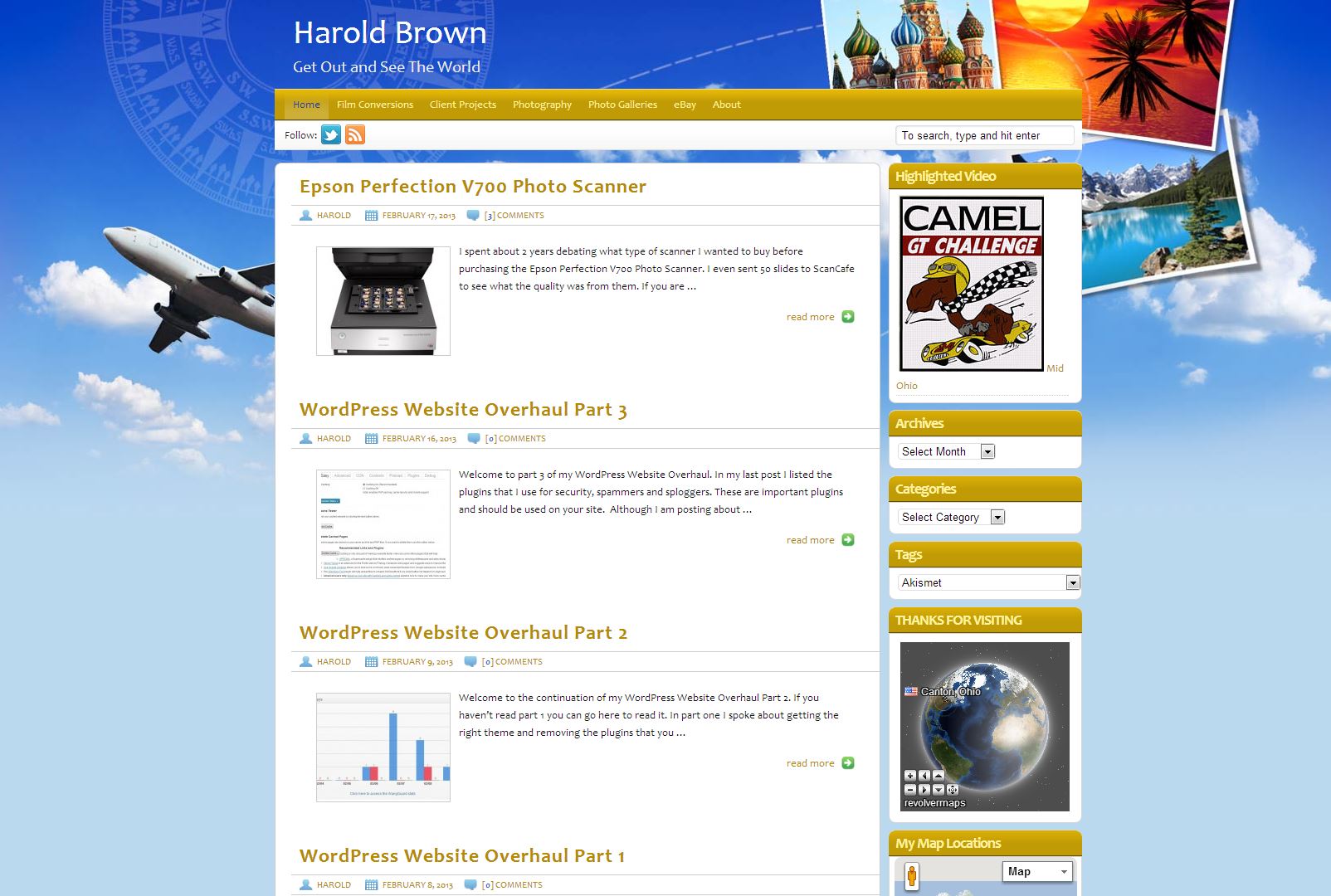
Epson Perfection V700 Photo Scanner

I spent about 2 years debating what type of scanner I wanted to buy before purchasing the Epson Perfection V700 Photo Scanner. I even sent 50 slides to ScanCafe to see what the quality was from them. If you are interested, you can read my post about them. A service can be a great time saver if you have a large film and/or slide collection. I had a Microtek scanner that I bought in 2002 that desperately needed to be replace. Some recent scanning of color pictures finally drove me to decided to get the V700. I had the negatives, why was I scanning the picture! I did a lot of reading of scanner reviews before my purchase. Important to me was the Digital ICE technology and I like the SilverFast software that comes bundled with the scanner. I didn't want to spend half my life in Photoshop healing hair and dust off of my film, so a scanner and software that supported infrared was high on my list of must haves. I don't use it for every picture, but it is amazing how much dirt there actually is on the film. Be careful how aggressive you get with the infrared or you can impact the final picture quality. For handling film I have cotton work gloves that I use to keep the oil from my skin off of the film. In addition or as an alternative, using a compressed gas duster on the film and scanner bed helps control the dust problem. A very good investment when scanning. I use it to dust the outside of the scanner as well.

There were many other things I would love to have on the scanner, like auto focus or better film holders, but I also wanted to keep my price in the $500 range if possible. I ended up spending $636 on the V700 at Micro Center. Overall I would rate the quality of the scanner a close 5 out of 5. There is very little to complain about and even the film holders provide the ability to adjust the height to improve focus. I scanned 12 slides using the different height adjustments and found that the factory setup was the sharpest scan (arrow pointing to +). The light source isn't LED so there is a short warm-up time, but I am looking for output quality as a priority.

Here is what's in the box.
- Epson Perfection V700 Photo scanner - with DIGITAL ICE technology
- 8" x 10" transparency unit (built into lid)
- Four film holders: 35mm negatives, 35mm slides, medium format and 4" x 5"
- Film Holder Height Adjusters
- 8" x 10" Film Area Guide
- CD-ROM with Epson Scan software and productivity applications
- DVD-ROM with Adobe® Photoshop® Elements 9
- CD-ROM with LaserSoft Imaging™ SilverFast® SE6
- USB 2.0 cable
- Epson Setup Sheet
- AC adapter and power cable

The scanner isn't worth much without the software and there is little purpose to have the scanner and not run the best software you can afford. The software it ships with is good and it may be all that you need. The first thing I did was to download the latest demo version of SilverFast 8 and made sure that it worked on my system and that I was comfortable with it. I spent about three days using the software and took advantage of their upgrade offer from version 6 to version 8 Ai Studio.
Using SilverFast 8 I currently scan to jpeg at 3,200 dpi. I have done some scans to tiff, but I will reserve that for photographs that I feel are of a special nature. Otherwise jpegs are fine for the scans. The software function in SilverFast I make the most use of is the Histogram. The scans on a flatbed scanner will never be perfect, but for my work as a serious photographer the investment was worth it.

Above is a scanned 35mm close-up picture I took of an electric meter in 1977 using a GAF 35mm camera.


The above picture was taken in Mohican State Park forest in August 1977. The flash fired, resulting in highlighting the foreground rocks and tripod. I scanned 39 slides from the camping trip to the park. I had forgotten about visiting the park until I scanned the slides.

The above picture had histogram adjustments only. No sharpening was applied to the image when it was scanned.
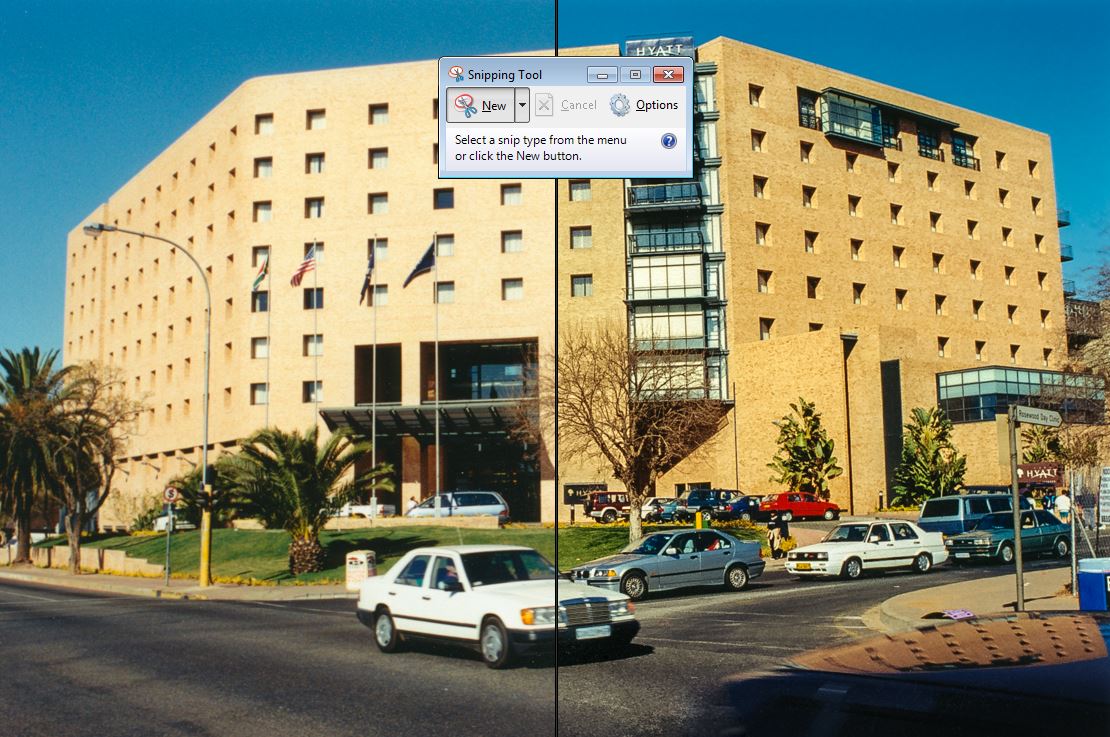
The same picture compared side-by-side to the raw scan and the adjusted finished product.

See the follow-up to this post about scanning negatives, click here.
Unlock your memories and find those old photos!
WordPress Website Overhaul Part 3
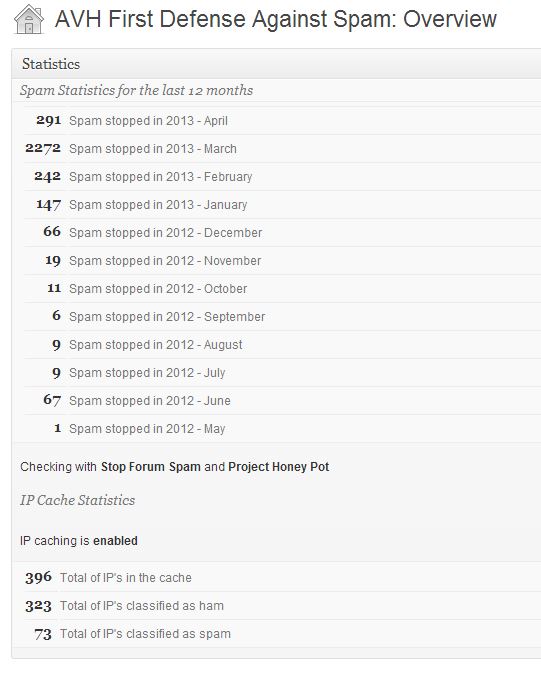
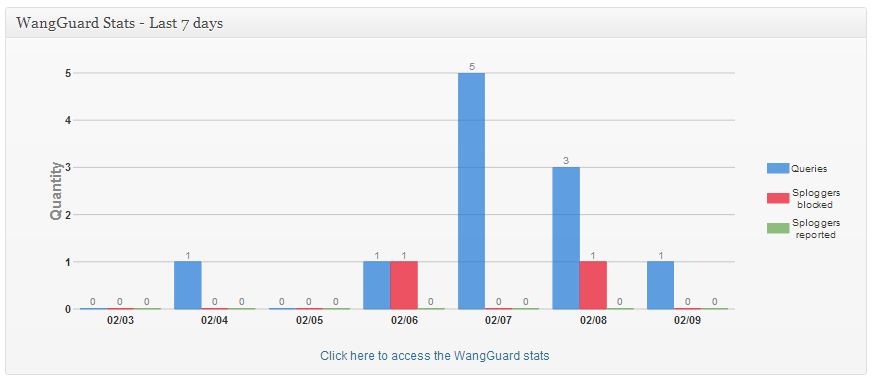
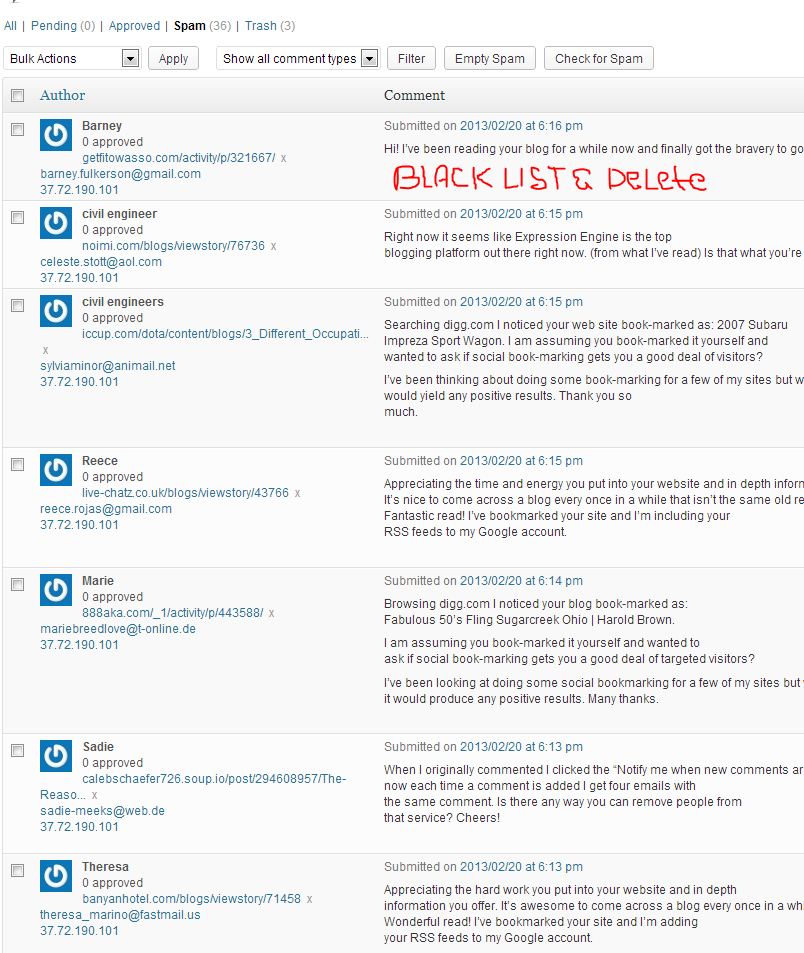
Welcome to part 3 of my WordPress Website Overhaul. In my last post I listed the plugins that I use for security, spammers and sploggers. These are important plugins and should be used on your site. Although I am posting about my WordPress overhaul this is really an ongoing process that I do from time-to-time. After 2 years of my site being on WordPress it was time to review everything and make some changes. I will watch the stats on my plugins and make some changes as necessary, maybe I will be able to delete another plugin!
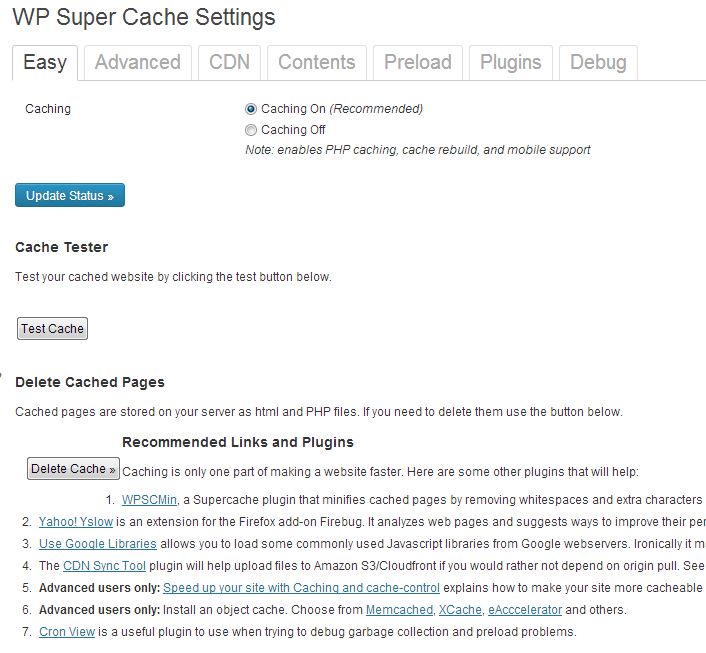
The next set of plugins that are import are the cache enabling ones. Pre-loading your pages to memory makes them much faster to load and can increase your rankings in search engines. More than that, your visitors won't be discouraged by slow load times and are more likely to take a look at your site. It isn't unusual that I will close out a tab in my browser if a site takes too long to load. I like WP Super Cache and it seems to play well with my other plugins. There are plenty of basic and advanced settings that when used can really speed up your site. I also use WP Widget Cache and Use Google Libraries. You may get both increased speed from Google Libraries as well as the latest javascripts hosted on Google helping to keeping your site up-to-date and conflict free.
[dropshadowbox align="none" effect="lifted-both" width="autopx" height="" background_color="#f1ca37" border_width="1" border_color="#dddddd" ]Some say plugins don't add to your sites load times....yes they can![/dropshadowbox]
Now that we have discussed the necessary plugins lets look at a plugin that I feel is second only

to the security ones. It is a plugin called P3 (Plugin Performance Profiler), and it is my favorite plugin. This plugin actually scans your site and plugins and provides a performance profile of your site's load time, and displays which plugins are impacting your sites load times the most. This is where you can make important decisions on which plugins to keep and remove/swap out. Not all code is created equal and not everyone can write efficient code. This plugin will help you understand what plugins take the longest to load and aid you in comparing similar plugins to one another. Make sure you take a look at this one, perhaps after seeing its analysis you will stop blaming your host for your sites poor performance.

A nice complement to P3 is Pingdom. Pingdom provides uptime monitoring and performance monitoring. I periodically visit Pingdom and check on my sites performance and compare it to the history of tests that I have done. Well worth the time it takes.
When adding plugins to your site do your homework and research what is available and when checking the plugins out don't forget to check their performance with P3 and Pingdom.

I hope you have gotten something out of my three part series about WordPress site building/plugin selection. Keep doing your research and revisit your site from time to time to see what improvements you can make.


WordPress Website Overhaul Part 1

I have completed my WordPress Website Overhaul and it was well worth the time that it took. This post is more about approach, but part 2 will contain more information on the plugins that I use. BhagaVideo.com is a self hosted WordPress site that makes use of many plugins. When I started the overhaul, my site load times were running in the 5 seconds area and I really wasn't happy with the overall look and feel of the site. I mostly do video and photography for fun and blog about my travels both near and far. Through this website I encourage others to digitize and restore their old photos and document their travels.

My photo website is Photos.BhagaVideo.com and it contains 6,000 pictures that I have taken since I was 10 years old. Most of the pictures are available for public viewing and many others are in private albums. The two sites contain links between them, with most of the pictures in my blog originate from the photo site. My photo site is hosted by SmugMug.
Before using WordPress I was writing my own code, but decided that I wanted my site to be more of a blog and WP seemed like a good way to go. I have used many themes trying each one out but was never really satisfied. One of my requirements for my photo site was GEO Mapping of my pictures, yet my blog did not make use of that. That didn't make sense. So I started looking at themes and came across Travel Blogger. Its theme was travel and it had Google Maps functionality built in. A perfect compliment to my photo site. I installed the Theme and made the adjustments to the size of the columns using a slider provided by the Theme. If your blog is about cruising they have a Theme entitled "Seaward Bound" there is also a NYC Theme. Check them out.
Once I installed the theme I had the option of adding maps to all of my posts. I went back through my older posts and updated them to include a Google Map where that made sense to do. That is as simple as adding the shortcode to the end of my post. I only had about 50 posts that I needed to review so for me this wasn't a daunting task.
The second task was to review all of the Pages for content. I needed to update them to emphasize the travel focus of my site as well as still providing the inspiration around capturing old photos and converting 8mm film to video. This isn't exciting work but I believe that your site should have some consistency to it and stick to the theme.
The third task was to look at all of the plugins that I had installed and decide which ones I really didn't need, want or were overlapped by another plugin. You can get pretty hung up on cool thinks that really doesn't matter to anyone, and just adds to the load time of your site.

If you are going to run stats on your site pick the one that you like and go with it. I had Google Analytics, "Visitor Maps and Who's Online", and Woopra. I like Woopra but it really didn't give me anything more than what I can get with Google and the live chat isn't something that I will be doing. The most visitors I have ever had at one time is 26 and almost no one leaves a comment so what is the point? Worth considering if you are spending a lot more time on your site. "Visitor Maps and Who's Online" is something I like as well and the map of the world is great, but at the end of the day it is something I like and nothing my visitors really care about. The Who's online is good but again Google Analytics has it covered. It is a great option for anyone who wants to disconnect themselves from Google. I run Google Analytics on my photo website so I decided to go with Google Analytics and deleted the other 2 plugins. My first victory!
The next to go was copyrightpro. It works very well, but nothing on my site is worth protecting so again I had to ask myself, what's the point? It is just adding to the load time of my site, so deactivated and deleted. Next was Google Fonts, I wasn't using the plugin and I don't see a need to ever use it. I want to keep my site cleaner looking without a lot of colors and differing fonts.
I suggest that you follow the same idea that I did and delete the plugins that you no longer use or care about. The search engines are looking at your sites load time to improve its ranking so it is best to make site speed your priority rather than plugins that don't bring value to your visitors or you. The net result of doing the above dropped a full 1.5 seconds off the load time of my site. Well worth the effort that I made.
Look for part 2 of my overhaul post. I will get more into the plugins I decided on keeping and how I decided what to get rid of or replace.
Please feel free to comment below. Registration not required!

Thanks for visiting our blog. We hope you will find our site informative or inspiring. Whichever, get out and take some pictures.
Harold & Geet
Pictures on Flickr